> ## Documentation Index
> Fetch the complete documentation index at: https://docs.axuremart.com/llms.txt
> Use this file to discover all available pages before exploring further.
# 模型配置
> 通过 cc switch 配置 Claude 模型
## 第一步:下载安装 cc switch
点击对应系统的按钮直接下载安装包,下载后双击安装。
CC-Switch-v3.16.5-Windows.msi
CC-Switch-v3.17.0-macOS.dmg
## 第二步:配置模型
### Claude sonnet 5.5 / Claude opus 5.5 模型(强力推荐)
高级模型,支持 1M 上下文,极力推荐。适合预算中等人群,实现效果可以。
#### 1、令牌分组必须勾选 max 分组
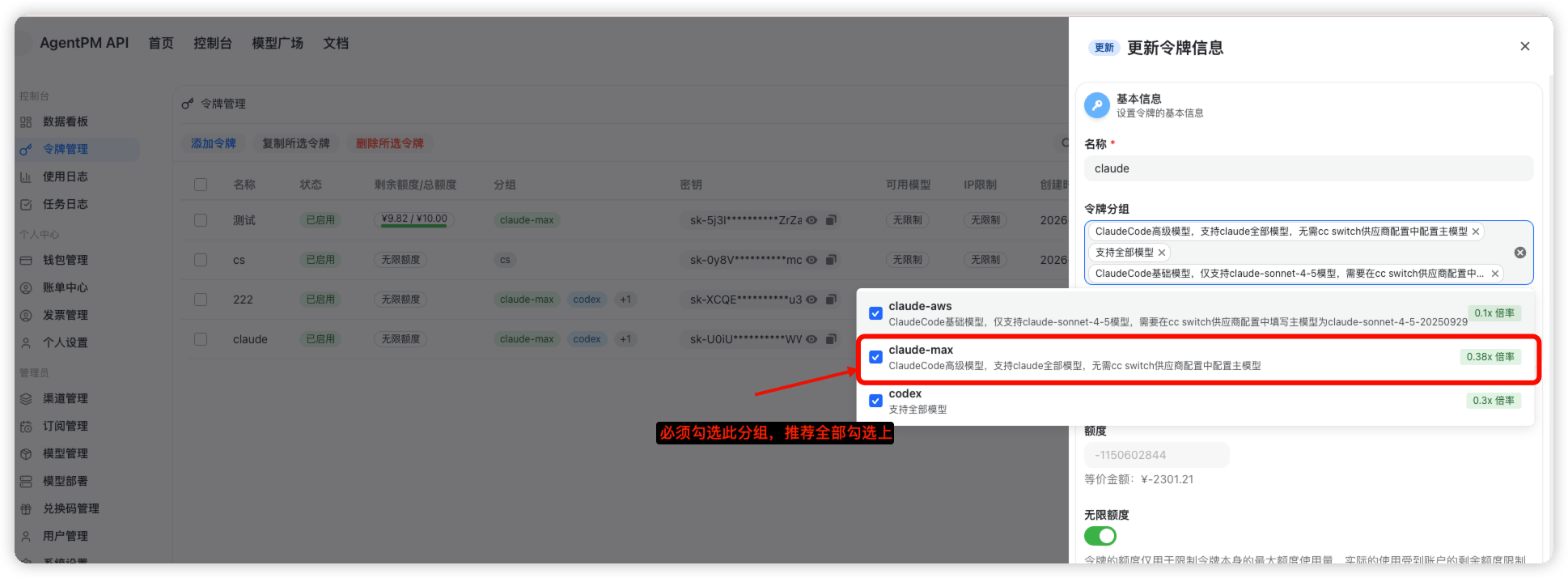 #### 2、cc switch 创建供应商并配置
1. 打开后在 claude 分类下创建供应商
#### 2、cc switch 创建供应商并配置
1. 打开后在 claude 分类下创建供应商
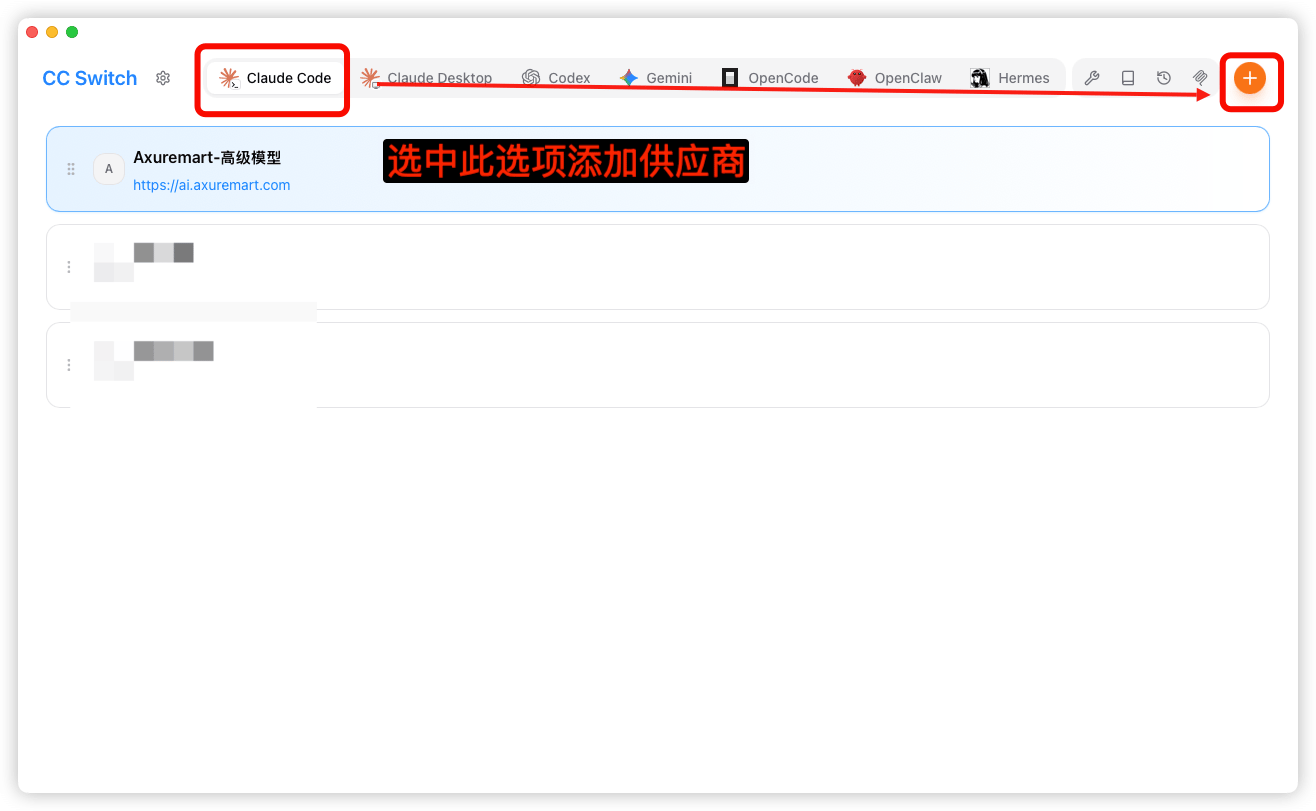 2. 配置供应商
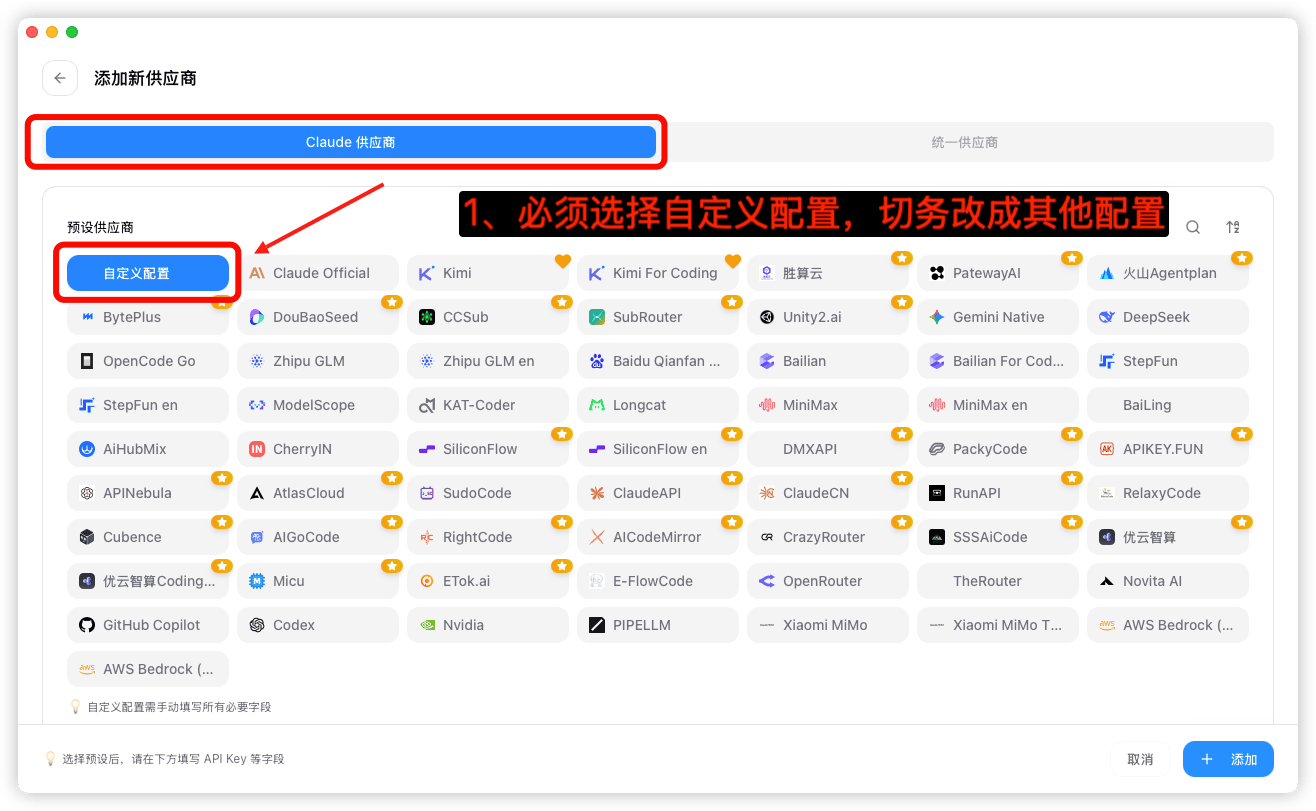
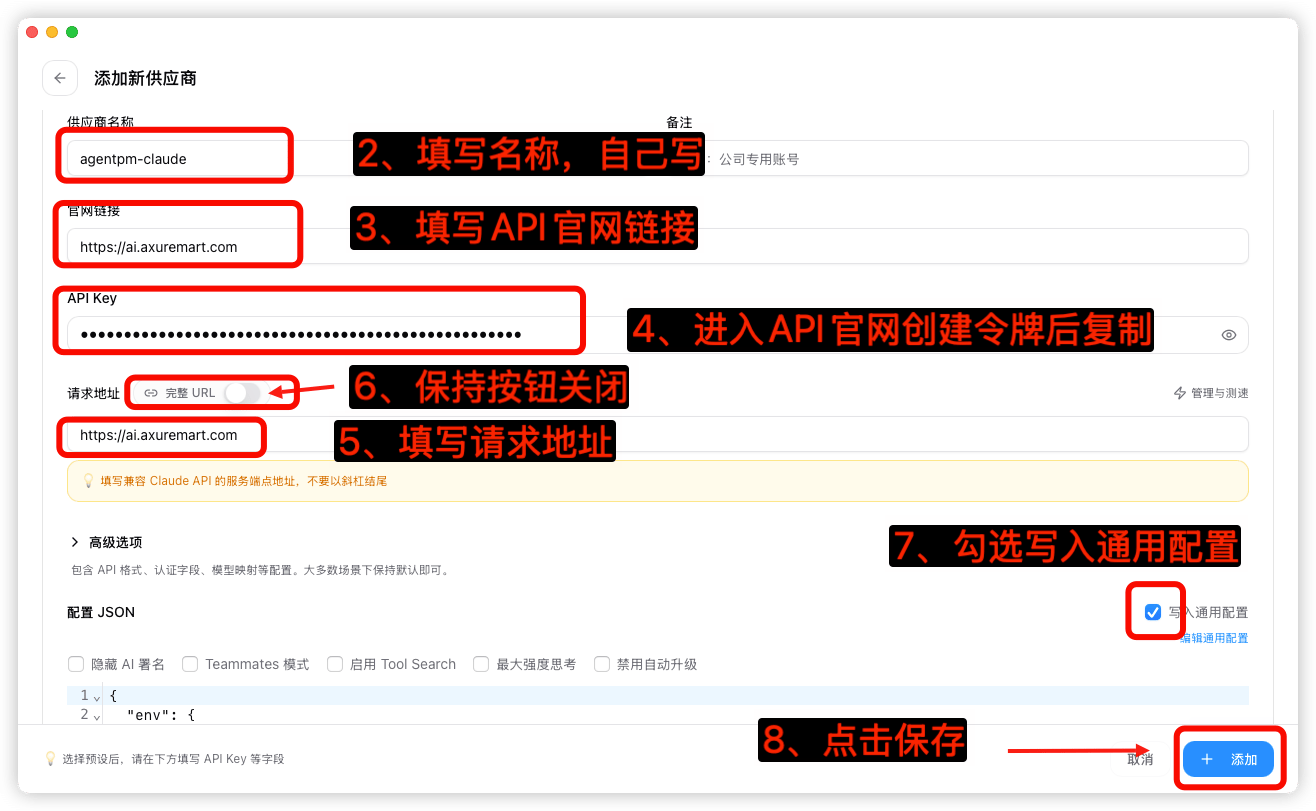 | 配置项 | 填写内容 |
| - | - |
| 供应商类型 | 自定义配置 |
| 名称 | 自己随意填写 |
| 官网链接 | `https://ai.axuremart.com` |
| API key | API 官网创建令牌后复制 |
| 请求地址 | `https://ai.axuremart.com` |
| 模型设置 | 保留空值 |
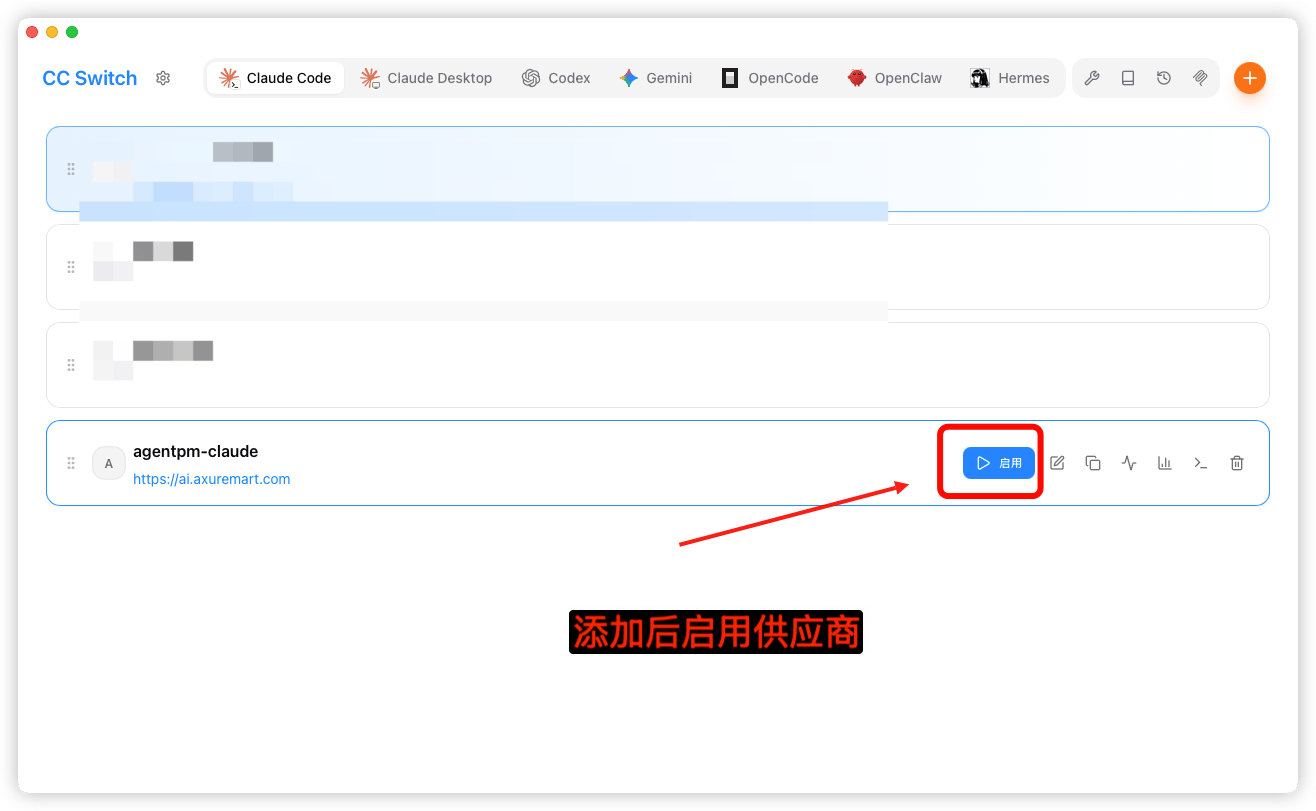
#### 3、启用供应商
| 配置项 | 填写内容 |
| - | - |
| 供应商类型 | 自定义配置 |
| 名称 | 自己随意填写 |
| 官网链接 | `https://ai.axuremart.com` |
| API key | API 官网创建令牌后复制 |
| 请求地址 | `https://ai.axuremart.com` |
| 模型设置 | 保留空值 |
#### 3、启用供应商
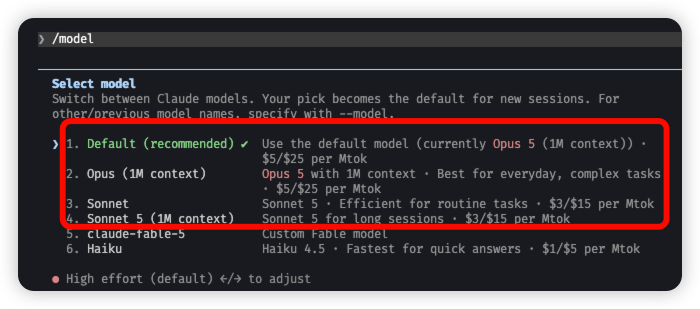
 #### 4、启动 AI 后默认就是 Claude opus 5.5 模型
如需开启 1M 上下文或使用 Claude sonnet 5.5,请在 AI 输入框中输入 `/model` 进行切换。
#### 4、启动 AI 后默认就是 Claude opus 5.5 模型
如需开启 1M 上下文或使用 Claude sonnet 5.5,请在 AI 输入框中输入 `/model` 进行切换。
 ### Claude sonnet 4.5 模型
特价模型,性价比高,上下文比较短,适合预算不高人群,实现效果需多次沟通。
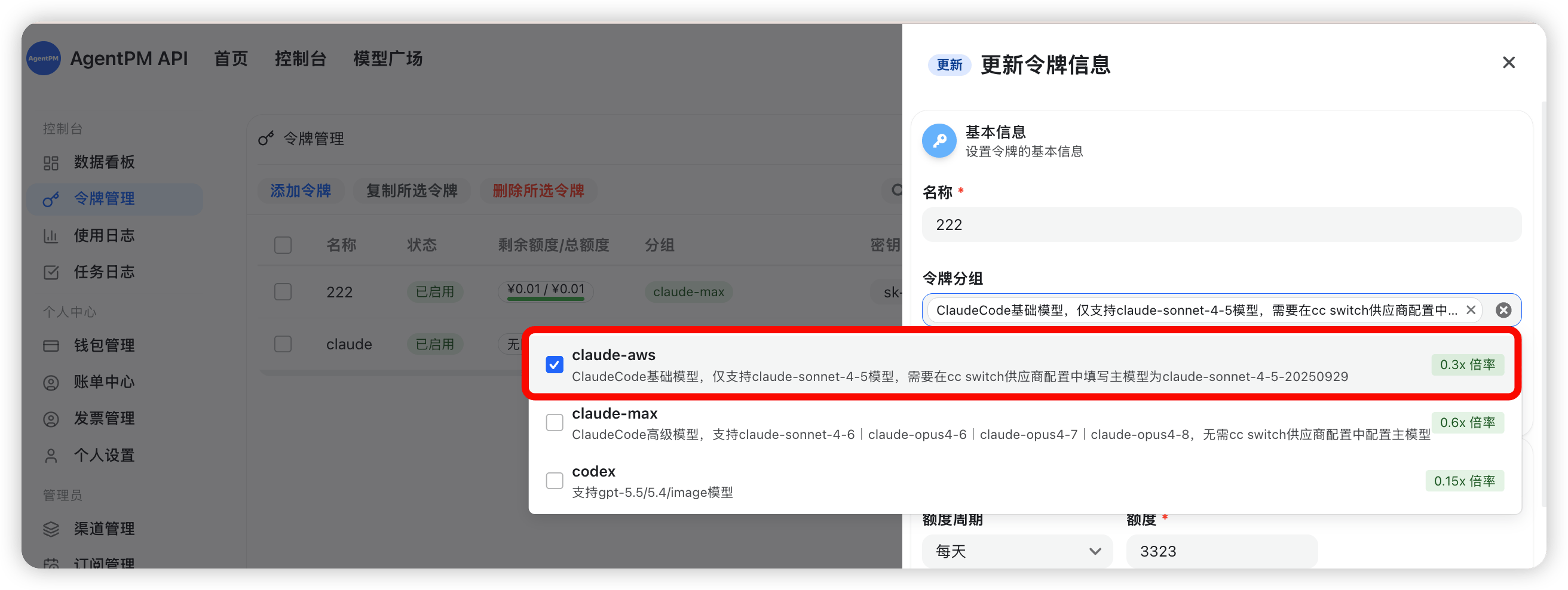
#### 1、令牌分组必须勾选 aws 分组
### Claude sonnet 4.5 模型
特价模型,性价比高,上下文比较短,适合预算不高人群,实现效果需多次沟通。
#### 1、令牌分组必须勾选 aws 分组
 #### 2、cc switch 创建供应商并配置
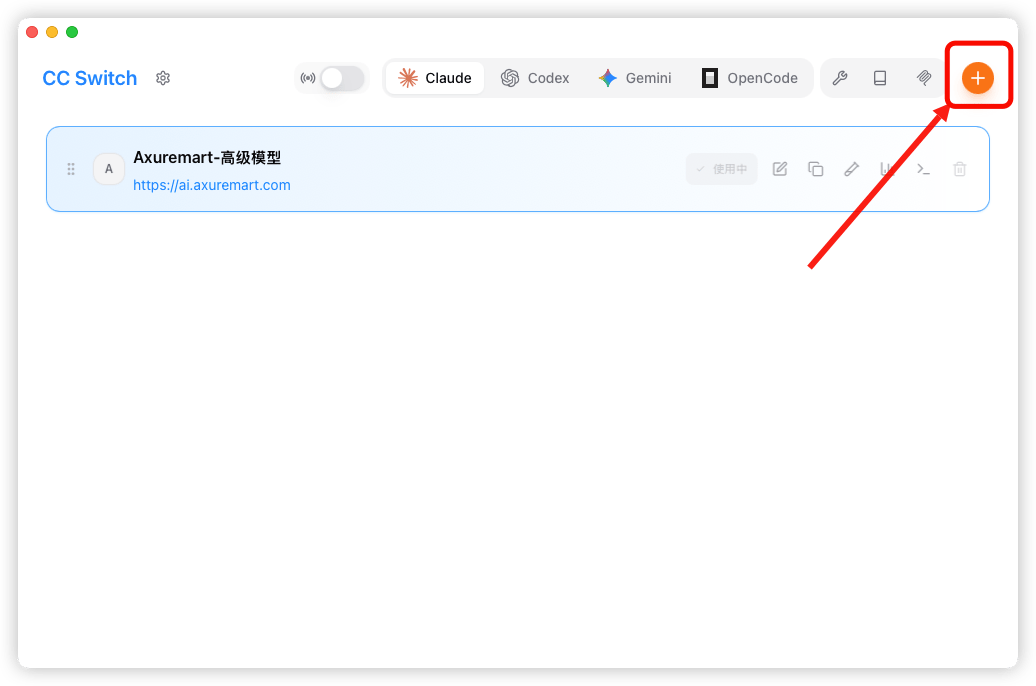
1. 打开后在 claude 分类下创建供应商
#### 2、cc switch 创建供应商并配置
1. 打开后在 claude 分类下创建供应商
 2. 配置供应商
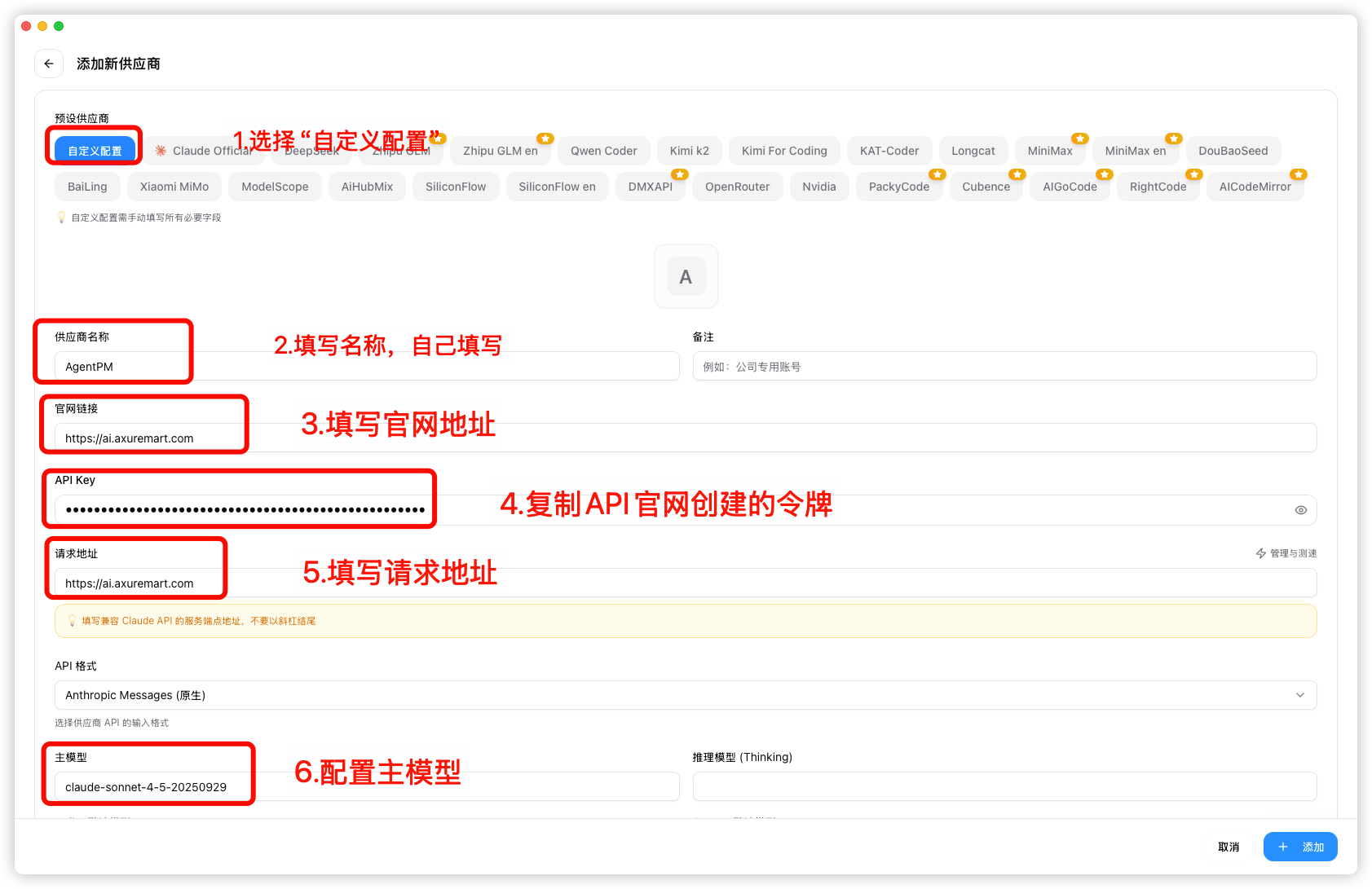 | 配置项 | 填写内容 |
| - | - |
| 供应商类型 | 自定义配置 |
| 名称 | 自己随意填写 |
| 官网链接 | `https://ai.axuremart.com` |
| API key | API 官网创建令牌后复制 |
| 请求地址 | `https://ai.axuremart.com` |
| 主模型 | `claude-sonnet-4-5-20250929` |
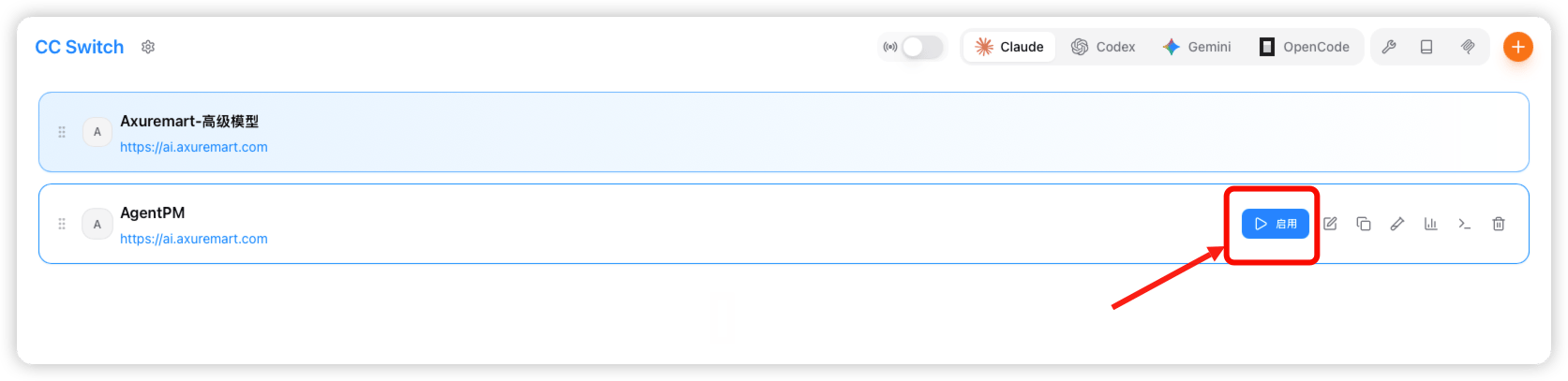
#### 3、启用供应商
| 配置项 | 填写内容 |
| - | - |
| 供应商类型 | 自定义配置 |
| 名称 | 自己随意填写 |
| 官网链接 | `https://ai.axuremart.com` |
| API key | API 官网创建令牌后复制 |
| 请求地址 | `https://ai.axuremart.com` |
| 主模型 | `claude-sonnet-4-5-20250929` |
#### 3、启用供应商
 This documentation is built and hosted on [Mintlify](https://mintlify.com), a developer documentation platform.